Data ChangeManagement, historization and archiving
The easiest way to log and analyze data during the development process or a software implementation phase. Of course, historization/archiving can also be used continuously in a productive system (assuming there is sufficient storage space).
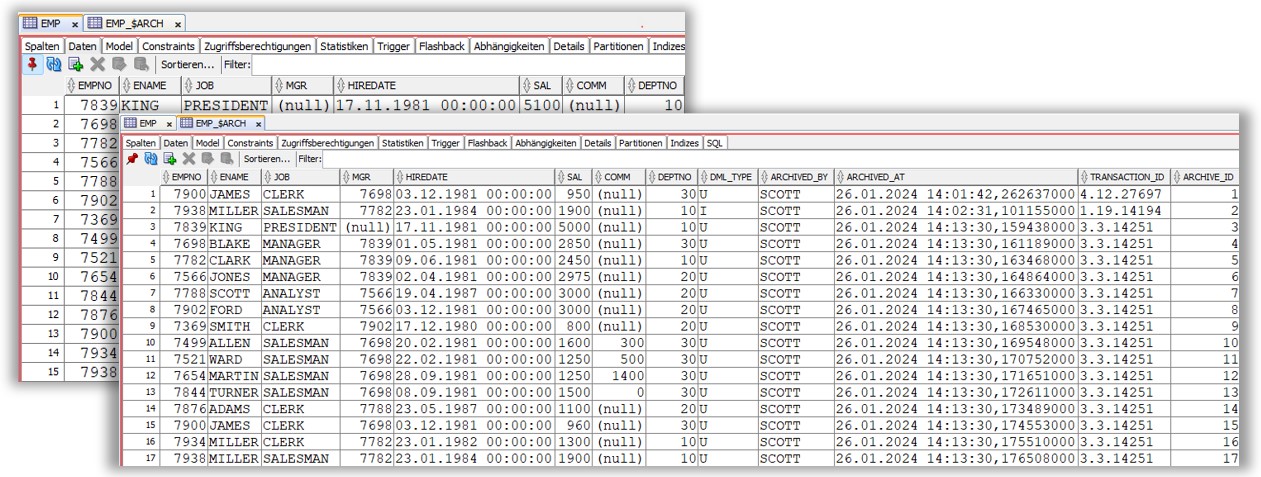
- The original data structure (table) remains unchanged.
- Data structure changes (origin table) are automatically detected, transferred to the DCM table and marked by an incarnation flag.
- Which DML operation took place is also logged.
- Database user of the DML operation is also saved.
- Related DML operations can be linked for analysis by the transaction ID.
Key features
- Historization/archiving can be defined for individual tables or the entire schema.
- The historization/archiving can be temporarily interrupted and started again.
- Age of historization/archiving can be limited to number of days.
- The historization can therefore also be used for data archiving.
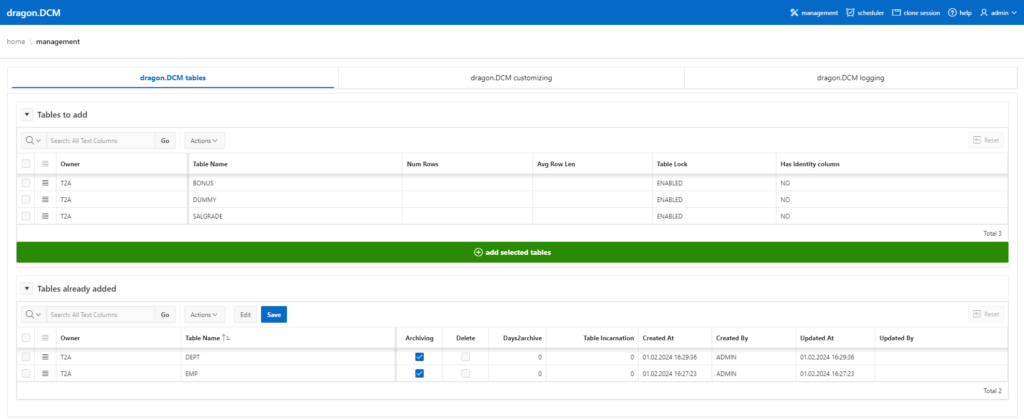
Oracle Apex application for graphical management and simple installation. Installation is done with just a few clicks and in a matter of seconds. Separate display of tables that have already been archived and objects that have not yet been selected. Multiple selections enable fast mass conversions up to an entire schema.
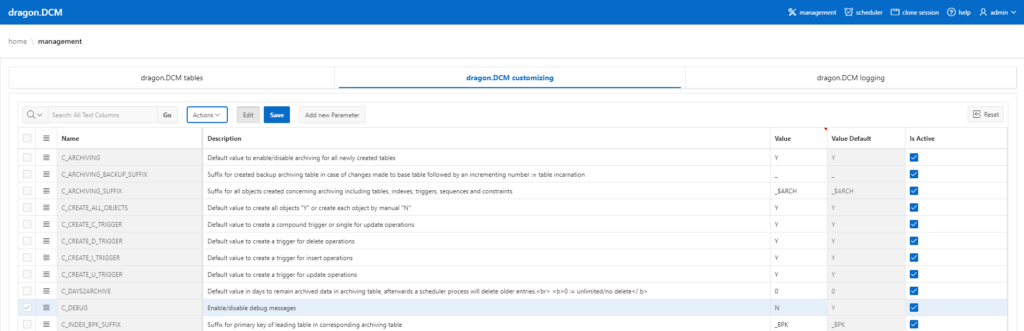
All process parameters and DCM objects can be edited, including tablespaces for data and indices separately from each other. This means that all company specifications and development guidelines can be implemented.
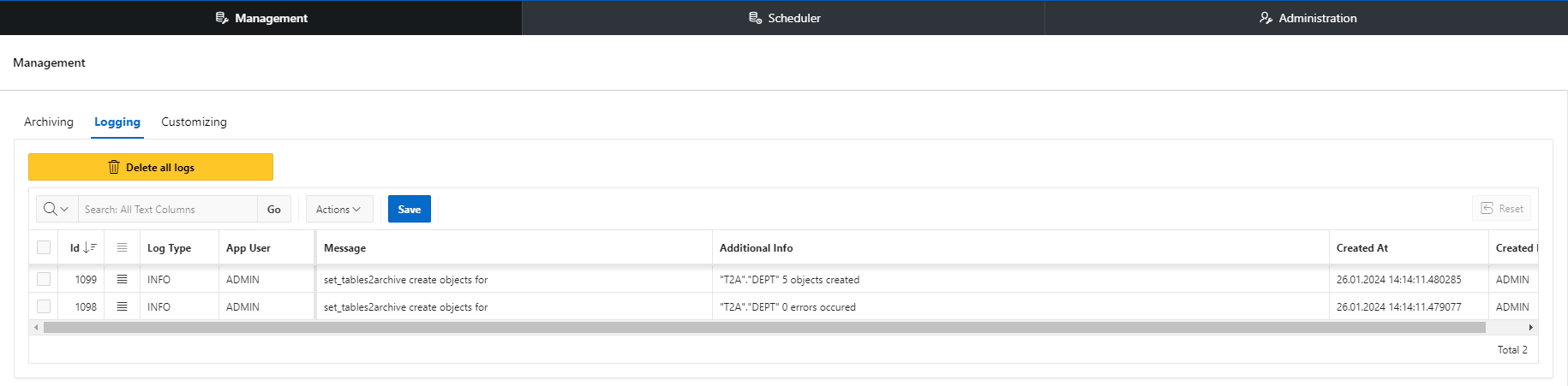
Extended logging with levels: Info, Warning and Debug. Detailed search for created and deleted objects including account data.
Conclusion
The dragon.DCM is an efficient and easy-to-use tool that streamlines data management, change tracking and archiving processes, making it ideals choice for both development and production scenarios.
Learn More
Contact us for more information or arrange a demo.